Features
The big jobs at the counter, done for you.
Scan the license, fill in the DMV forms, see your numbers, and keep every change and every receipt on the record.
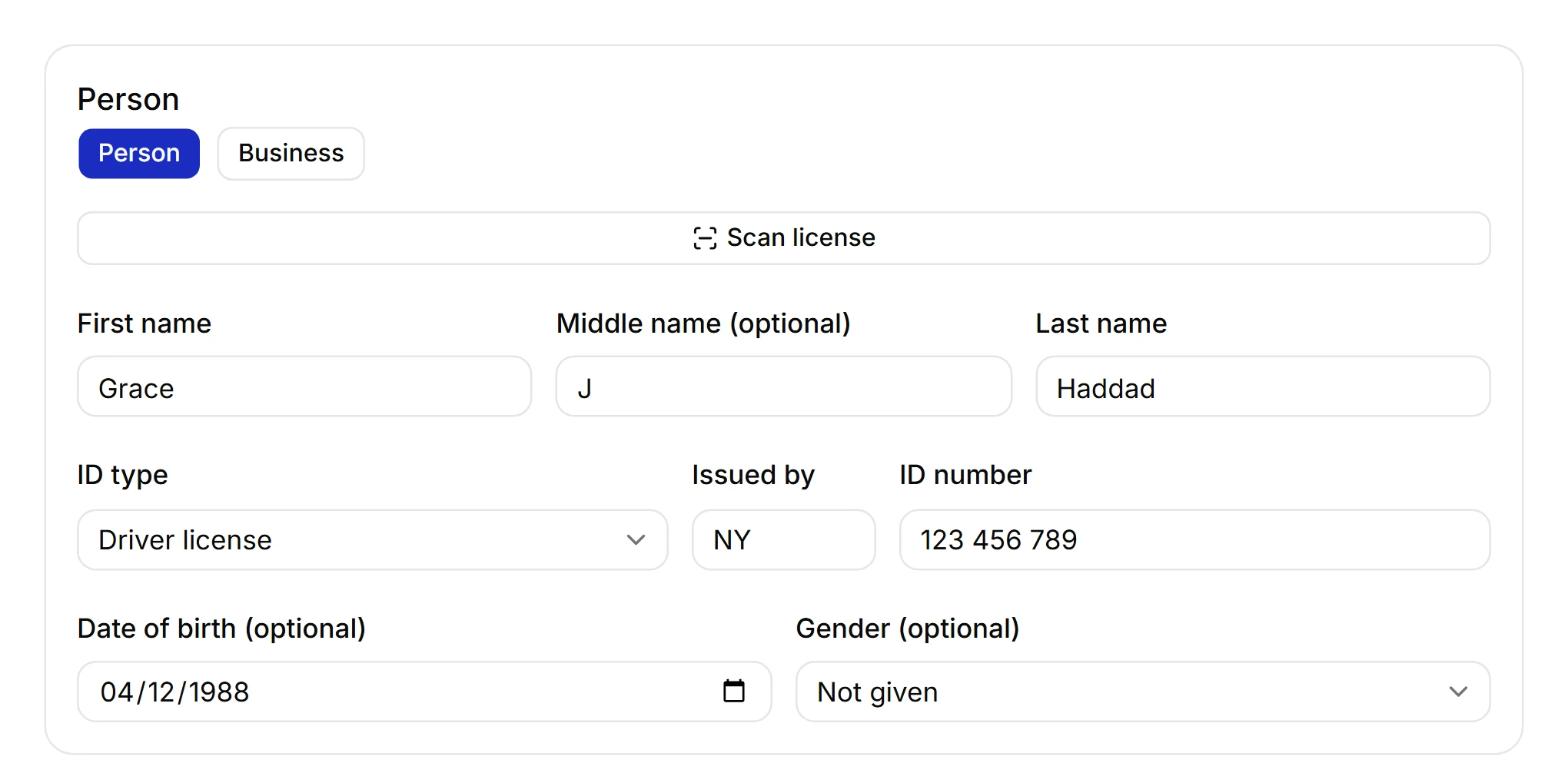
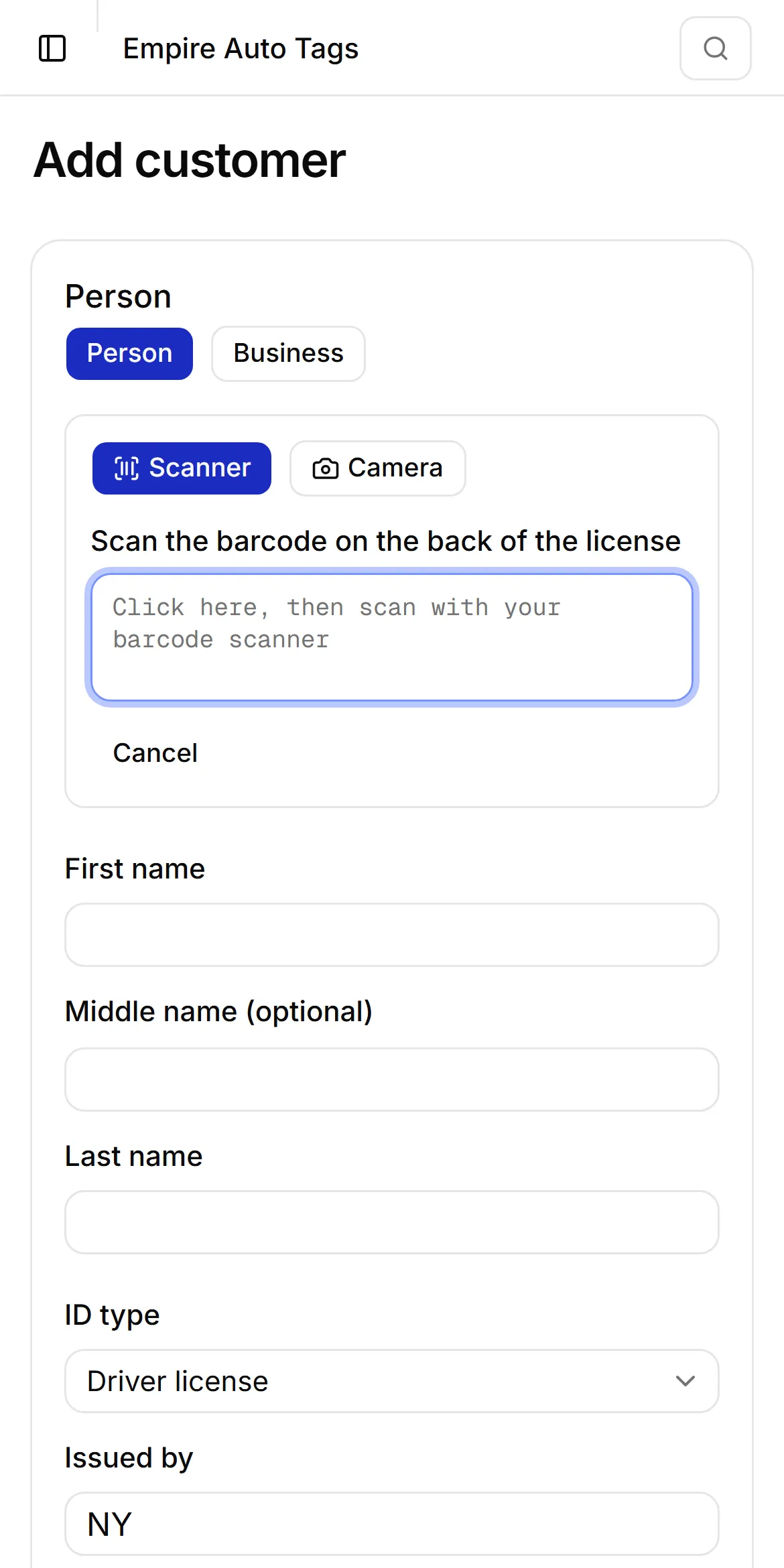
Scan the license. The customer fills in.
No retyping names, dates or ID numbers at the counter, and no typos carried into the DMV forms.
- 1Scan the licenseA handheld scanner, the phone camera or a photo of the license.
- 2The customer fills inName, date of birth, ID number and address, with no typing.
- 3Look up the VINThe year, make and model of the vehicle come back on their own.
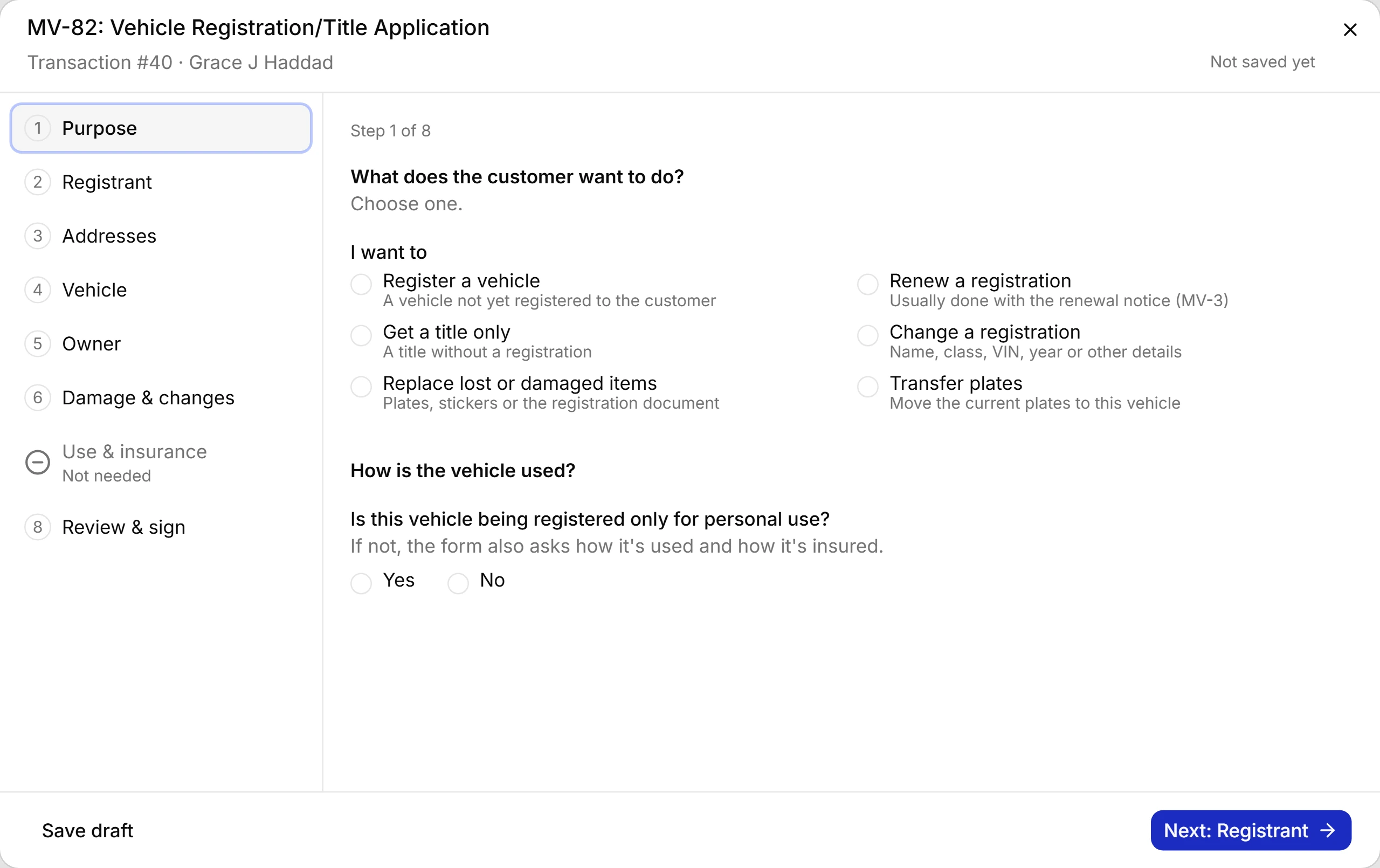
Answer once. Print the DMV form filled in.
A short wizard for each form asks only the questions that apply, then prints the official form with every box in place.
- Only what appliesThe wizard skips the questions that don’t fit.
- From the recordThe customer and vehicle carry over from the transaction.
- Save a draftCome back and finish it later.
- The official formFilled in and ready to print and sign.
See how the business is doing.
Every transaction feeds your reports: what you charged, what you earned, what came in and what is still owed, with charts for each day.
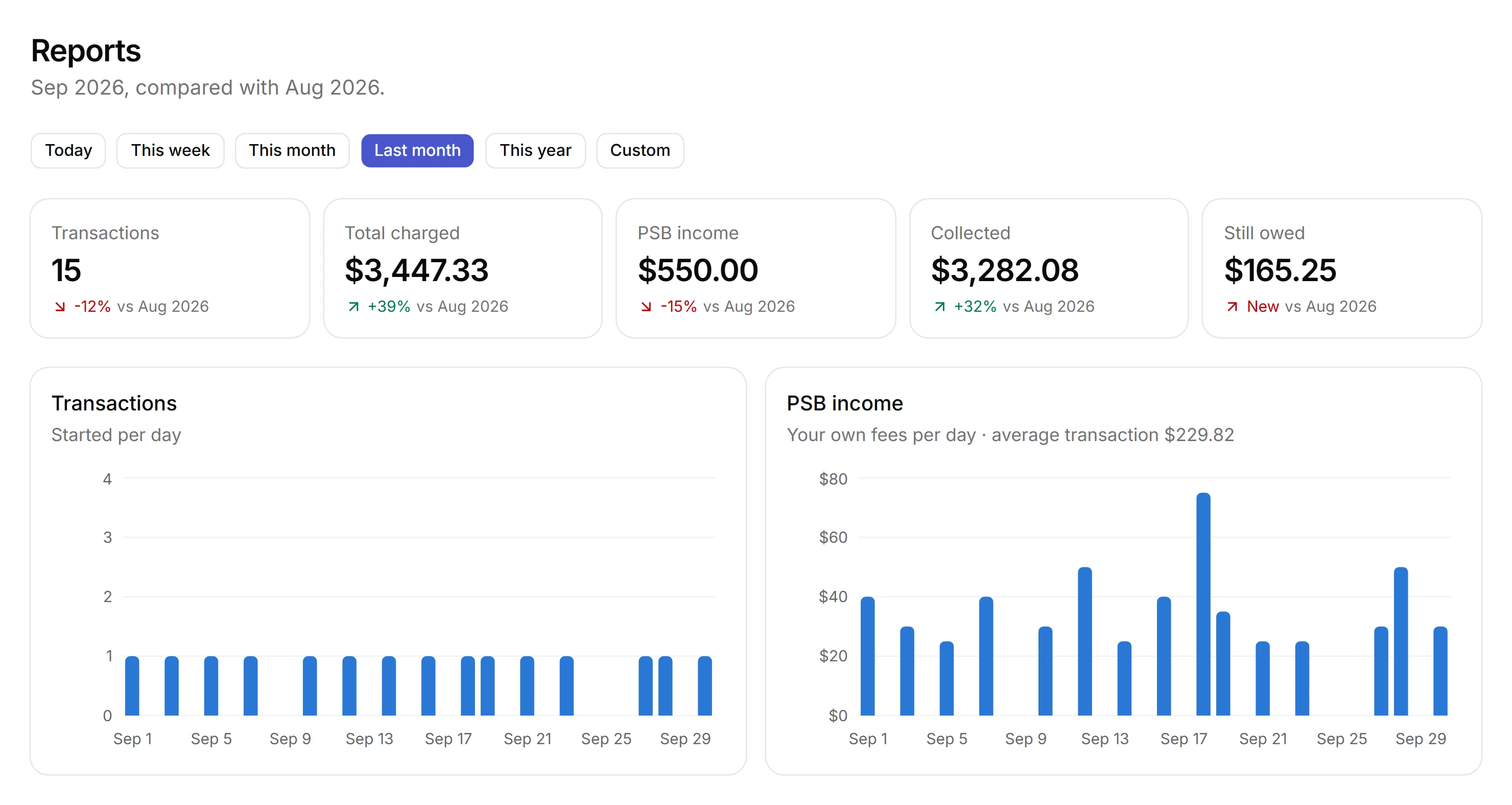
- Any periodCharged, PSB income and collected, by day, week or month.
- Up or downEvery number compared with the period before.
- Busiest daysSee when the counter fills up and staff for it.
- Money still owedThe largest balances, so you know who to call.
Every change, on the record.
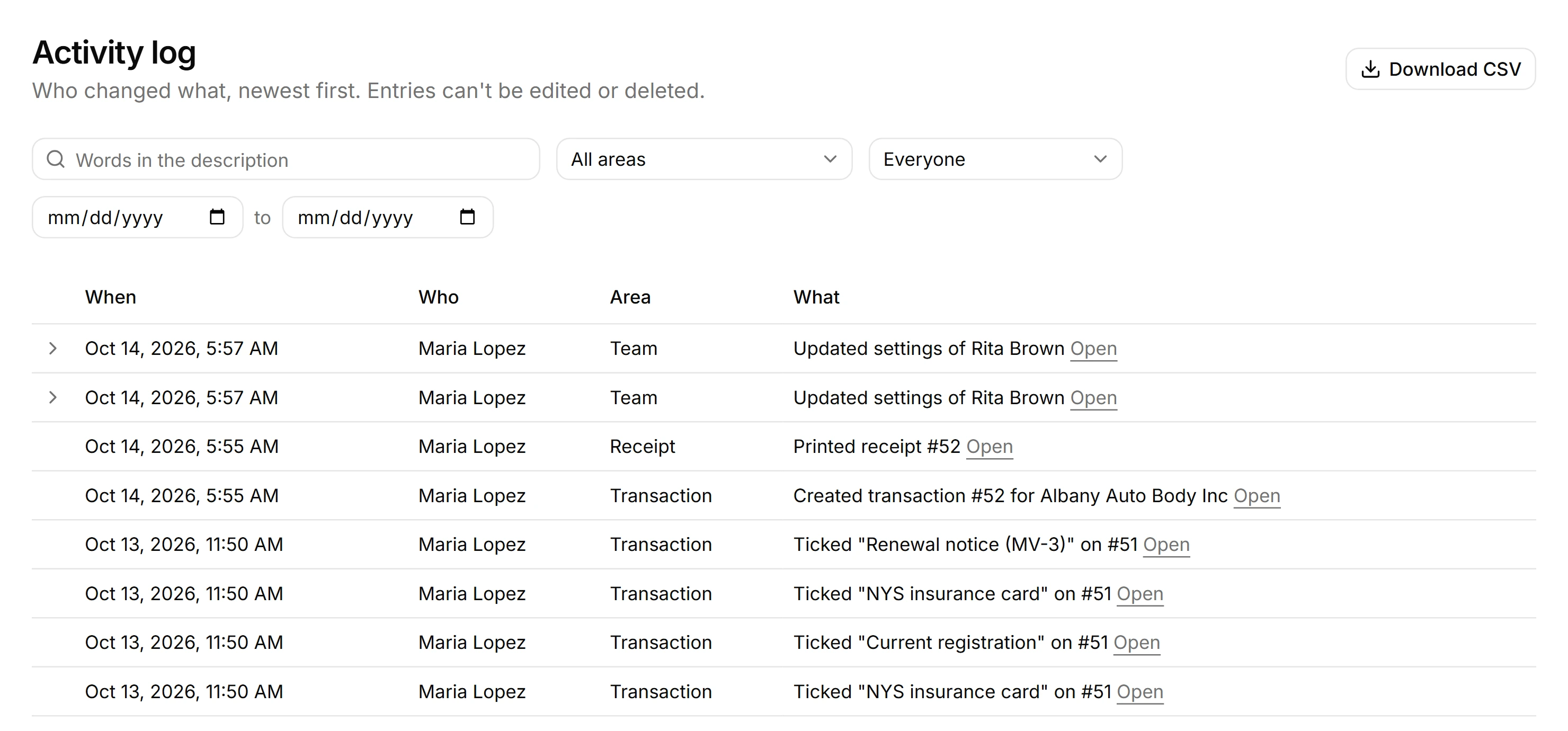
The activity log shows who changed what and when. Its entries can’t be edited or deleted, so you always have the real story.
- Who and whenTransactions, payments, receipts, comments and team changes.
- Payments can’t be rewrittenRefunds and voids are new entries, never edits.
- Find it fastFilter by person, area, words or dates.
- Take it with youDownload the log as a spreadsheet (CSV).
Every customer’s history in one place.
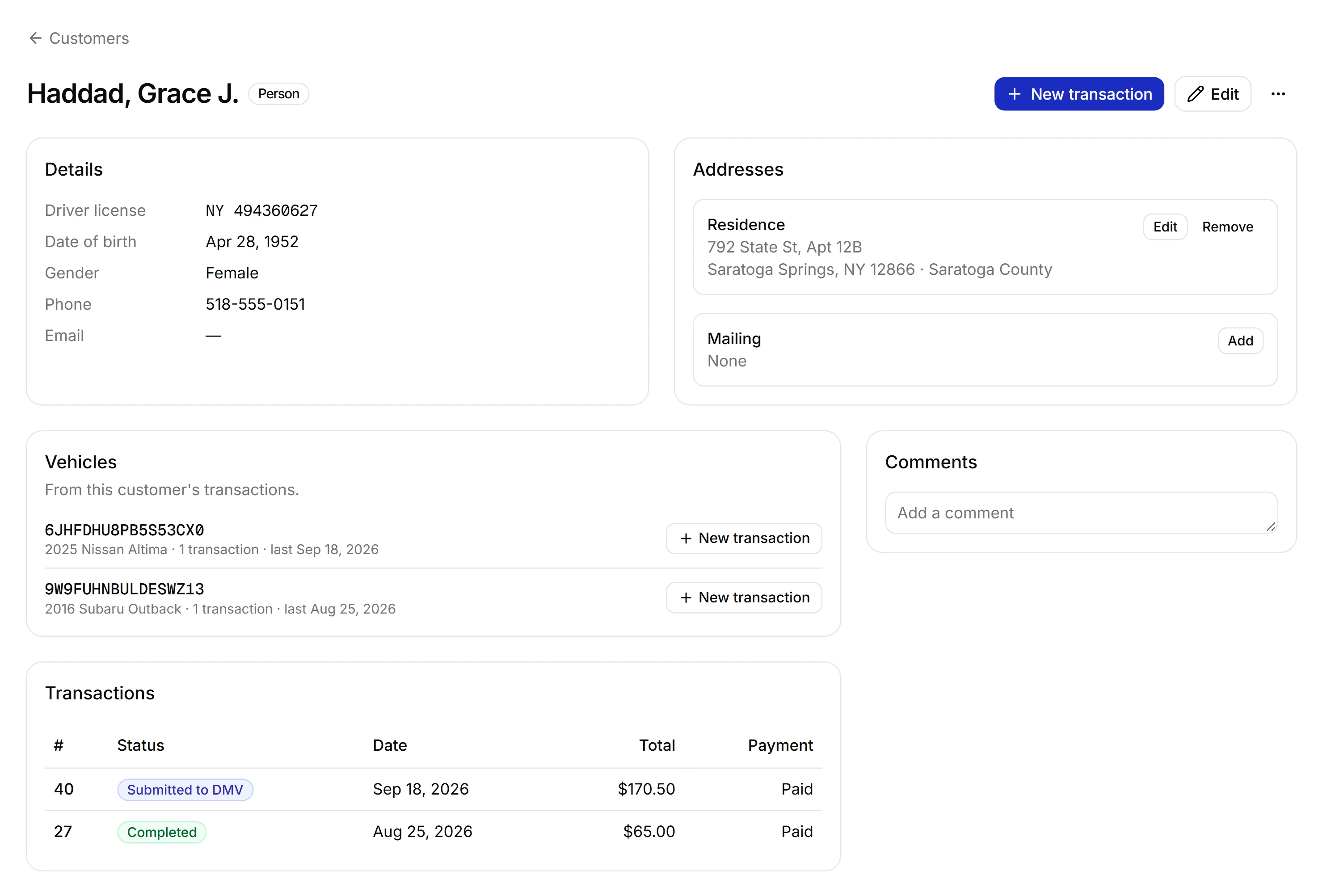
Customers, vehicles, transactions, payments and receipts stay linked, so “when did we do this?” is one click away.
- Part 77 receiptsNumbered in order, printed at the counter, with a copy kept.
- Customers and vehiclesEvery vehicle and every transaction on the customer’s page.
- Documents and commentsUploads and notes stay on the transaction.
- Nothing quietly lostDeleted transactions can still be shown and checked.
See it with your own PSB.
Set up your services and fees in minutes. The free plan covers 50 transactions, 25 customers and 2 users, with no time limit.